
make it sound like the scene.
Drag one dot and your audio moves: far away, underwater, through a phone, into a hall. Right inside Resolve, and it lands back on your timeline.
Sound on. This is a small in-browser taste. The plugin has 50 looks, a 6-band EQ and full controls.
On your phone? Buy now and the download and license key arrive by email, ready when you're at your Mac.
skip the fairlight rabbit hole.
- Open Fairlight
- Stack an EQ, a reverb, maybe a distortion
- Tweak a dozen knobs until it sounds like a phone
- Automate it, render it, line it back up
- Select the clip, press Use selected clip
- Tap a look or drag the dot
- Press Add to timeline. Done.
one window. every sound.
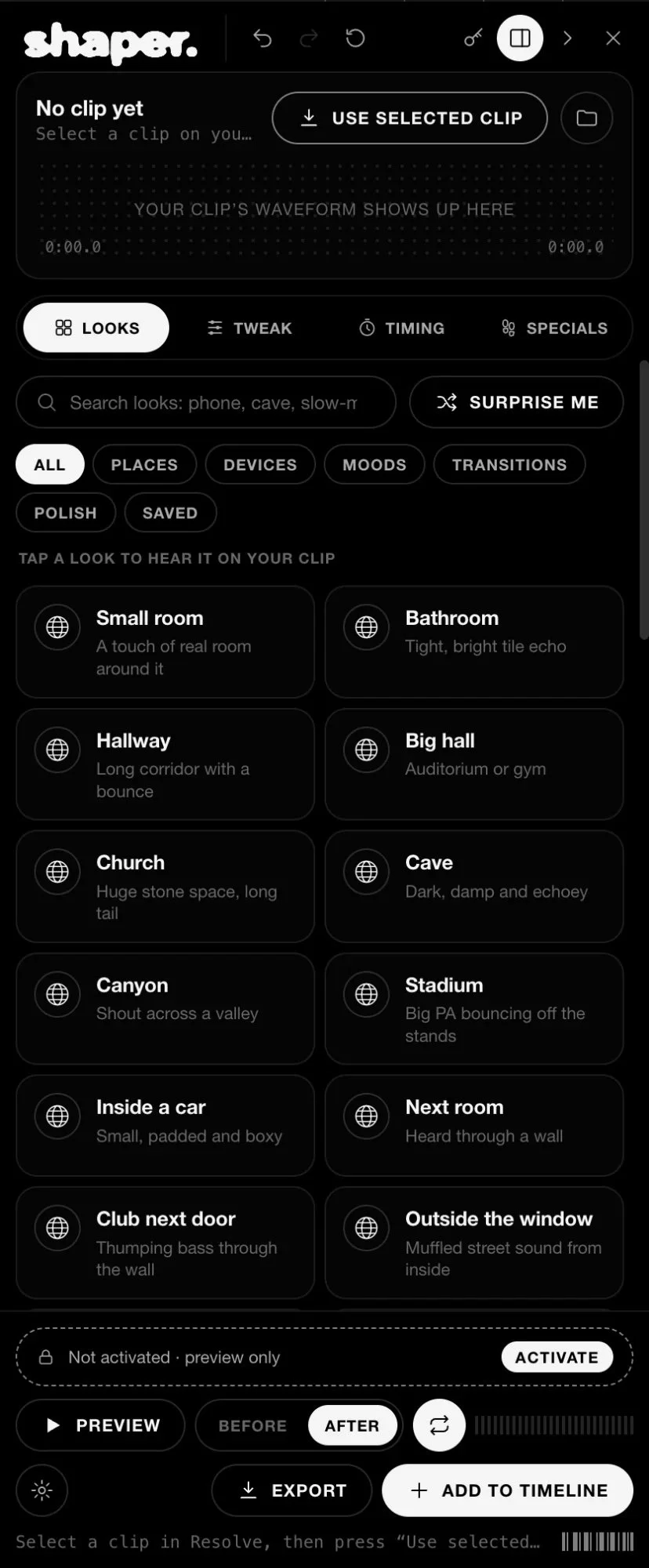
- 50 ready-made looks. Search "phone", "cave" or "slow-mo" and hear it on your own clip before you commit.
- The sand pad. Tone and distance in one drag, the same control you just played with.
- Any length. Stretch a whoosh to the cut or squeeze a line to fit, without changing pitch.
- Keyframes made simple. Let a sound walk from far to close over the shot.
- Safe. Your original is never touched. The new sound goes on its own track, one click to undo.
footsteps & music.
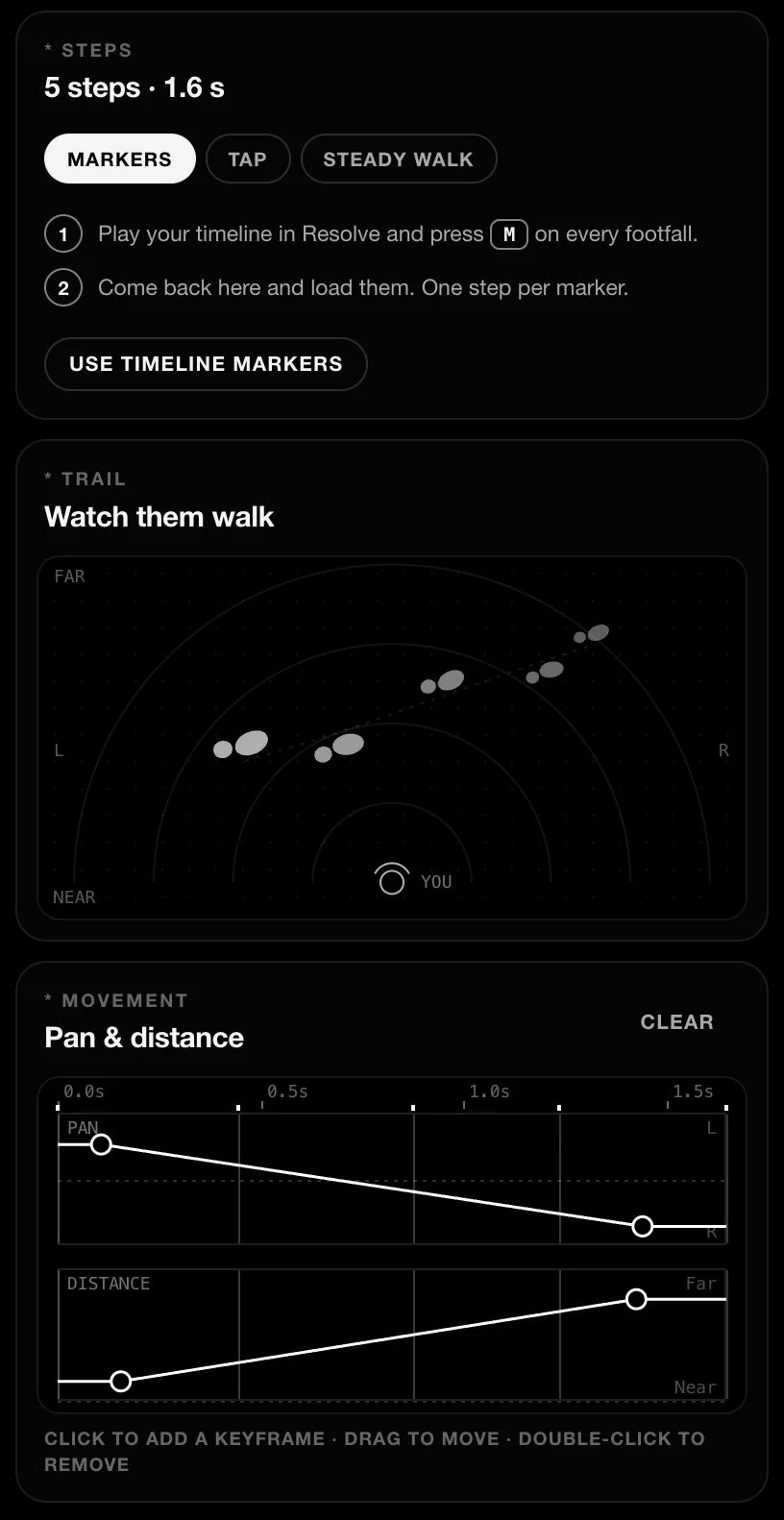 Footsteps
Press M on every footfall, load your own recordings, and a step lands on each marker. Then walk them left, right, near and far.
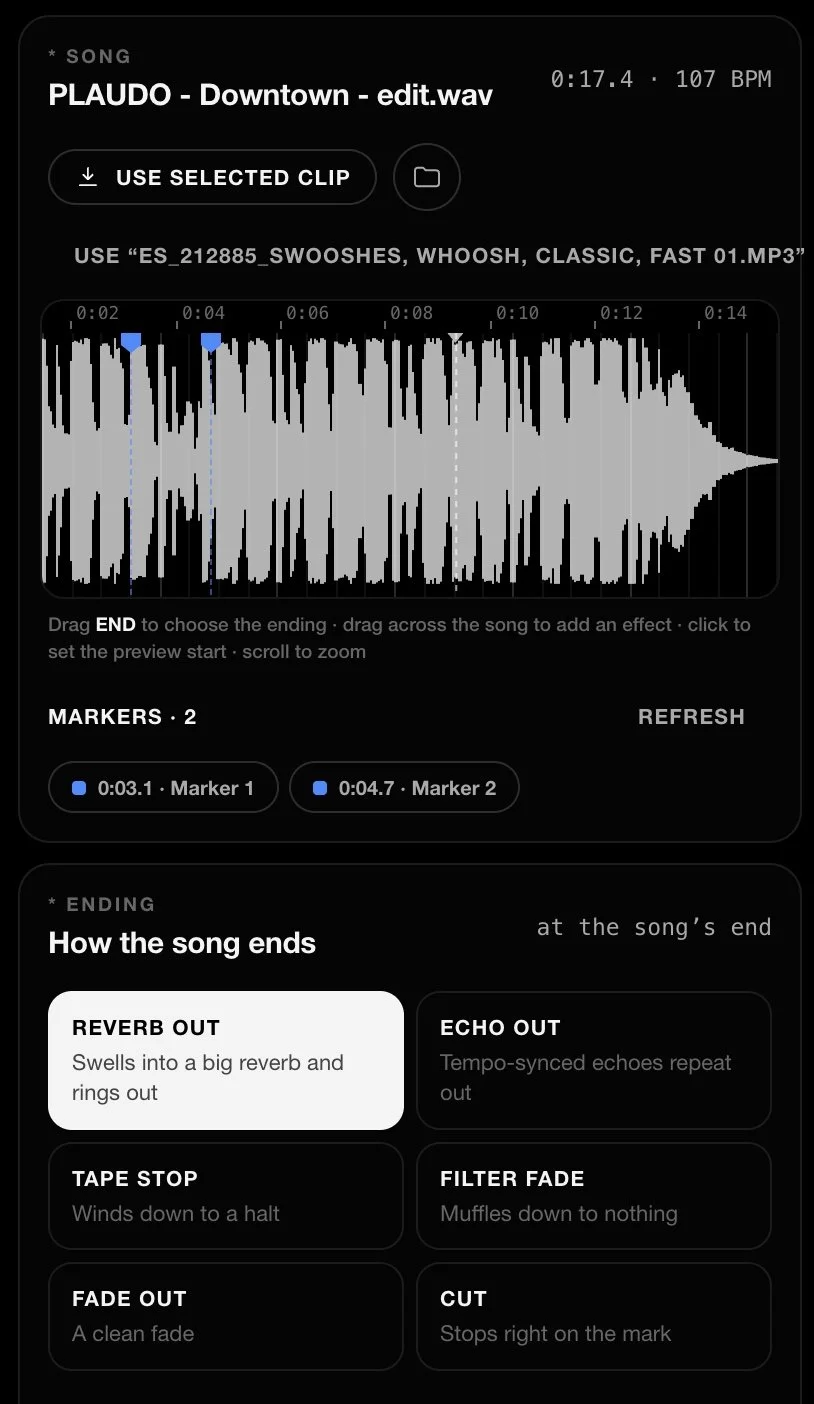 Music
Your Resolve markers show up on the song. End it on any beat with a reverb out, echo out or tape stop, and add underwater or ducking between markers.
- The full Shaper: 50 looks, sand pad, 6-band EQ, any length
- Footsteps special
- Music special
- Every future Special and update
- Use it on 2 Macs
good questions.
What do I need?
A Mac and DaVinci Resolve Studio (the paid version). Resolve only runs plugins like this in Studio.
I'm on Windows.
It's coming. Join the Windows list and we'll tell you the day it's out.
I'm on my phone right now.
Buy here and everything is emailed to you. Or for later.
Does it change my original audio?
No. It renders a new file on its own track and mutes the original. One click puts it back.
What if it's not for me?
Email us within 14 days for a full refund.
How do I install it?
Download the installer from your email, double-click, and Sound Shaper appears in Resolve under Workspace → Workflow Integrations.
hear the scene, not the stock sound.
Get Sound Shaper · $30DaVinci Resolve is a trademark of Blackmagic Design. Sound Shaper is not affiliated with Blackmagic Design.